
Finding the perfect streaming application for your Smart TV can be a frustrating process. In 2026, IBO Player UK has emerged as one of the absolute best media players on the market for seamless, high-quality streaming. If you own a Samsung Smart TV, LG WebOS device, or an Android box, this application provides an incredibly smooth and modern interface to organize your premium entertainment.
At iptvuk.one, we highly recommend this application to our customers. It is important to note that IBO Player is strictly a media player—it does not contain any channels or playlists of its own. To get the most out of it, you need to pair it with a top-tier provider. Let’s break down exactly how to download, set up, and activate your app in under five minutes.
Why Choose IBO Player in 2026?
Before we jump into the setup, here is why this specific app has become the gold standard for home entertainment systems across the country:
- Exceptional 4K Streaming: The app is highly optimized for fast, buffer-free streaming, supporting the highest 4K UHD resolutions.
- Built-in VLC Player: It utilizes an integrated VLC media player framework, ensuring maximum compatibility with almost all video and audio codecs.
- Cross-Platform Compatibility: Whether you are using a Samsung TV, LG screen, Amazon Firestick, or Apple TV, the app runs flawlessly.
- Clean User Interface: It features three different themes, a fast navigation menu, and full support for movie posters and trailers.
Step 1: Downloading the App
Getting the app onto your device is incredibly simple, as it is officially available on most major app stores.
- Turn on your Smart TV or streaming device.
- Navigate to your device’s official App Store (e.g., Samsung App Store, LG Content Store, Google Play Store, or Apple App Store).
- Move to the Search bar and type in IBO Player.
- Click Install or Download.
Step 2: Finding Your MAC Address and Device Key
Once the app is installed on your television, you need to link it to the web portal to upload your television channels.
- Open the application on your TV.
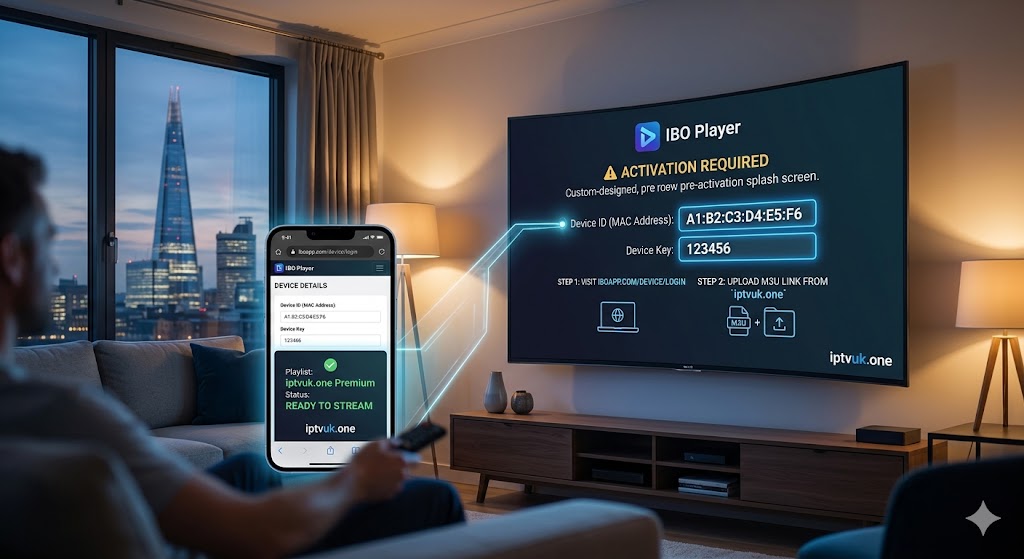
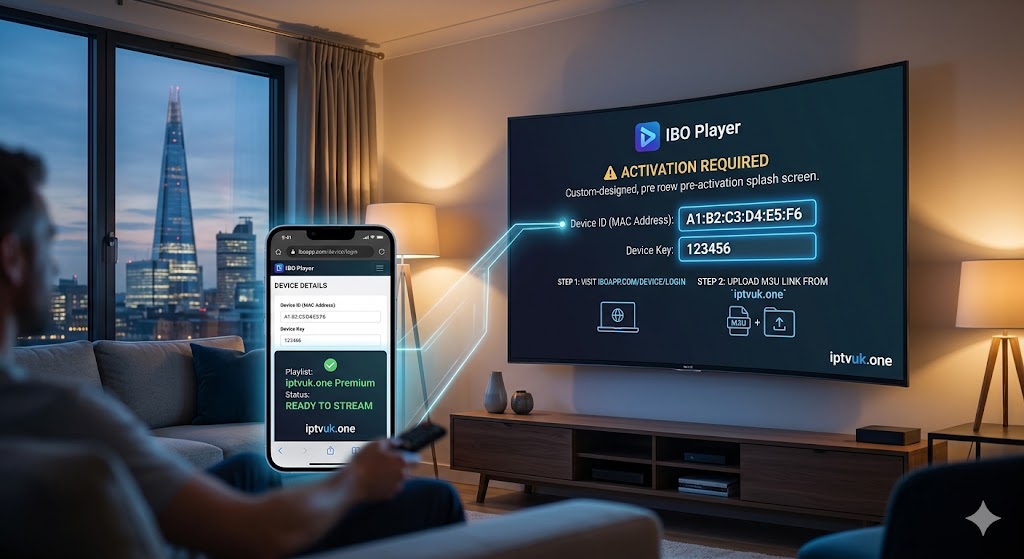
- On the main home screen (or the settings menu), you will prominently see two critical pieces of information: your Device ID (MAC Address) and your Device Key.
- Write both of these numbers down or take a clear picture of the screen with your smartphone. You will need them for the next step.
Step 3: Activating the App and Uploading Your Playlist
IBO Player offers all new users a generous 7-day free trial to test out the interface. After the trial expires, it requires a small, one-time lifetime activation fee. Here is how to load your iptvuk.one subscription into the player:
- On your smartphone or computer, open your web browser and visit the official developer website:
https://iboiptv.com/device/login. - Enter the Device ID (MAC Address) and Device Key that you wrote down earlier.
- Click on the Login button.
- Once inside the portal, look for the option labeled Add Playlist or Add M3U Link.
- Give your playlist a name (e.g., “iptvuk.one Premium”).
- Paste the secure M3U URL that our support team provided to you when you purchased your subscription.
- Click Save or Submit.
Step 4: Start Streaming
You are almost done! Return to your Smart TV and restart the application. The software will connect to our high-speed servers, download the electronic program guide (EPG), and organize all of your live sports, premium channels, and on-demand movies perfectly.
If you are looking to secure a rock-solid, buffer-free connection for your newly installed IBO Player UK setup, connect with the experts at IPTVUK.ONE today. We provide instant activation and 24/7 support to ensure your home entertainment system runs flawlessly.
Conclusion: Elevate Your Viewing Experience Today
Completing your IBO Player setup is the ultimate first step toward transforming your home entertainment system in 2026. By following this guide, you have successfully unlocked the full potential of your Smart TV, replacing outdated and clunky interfaces with a sleek, lightning-fast, and modern media player.
However, even the best media player in the world is useless without high-quality content to stream on it. To guarantee flawless 4K resolution, zero buffering during peak hours, and uninterrupted access to all the live sports and movies you love, you need to pair your newly activated device with a top-tier provider. Don’t settle for unreliable connections—upgrade your viewing experience with a premium subscription from iptvuk.one. Reach out to our team today to get your secure streaming link and start watching like a pro!