

IPTV has revolutionized television viewing in the UK, offering thousands of live channels, sports, and on-demand content. However, persistent buffering or latency can severely disrupt the experience. If you are frustrated with IPTV freezing or malfunctioning, rest assured you are not alone. This guide delivers expert, rapid solutions to Fix IPTV buffering problems in 2025, ensuring a smooth and continuous viewing experience.
Why Does IPTV Buffer?
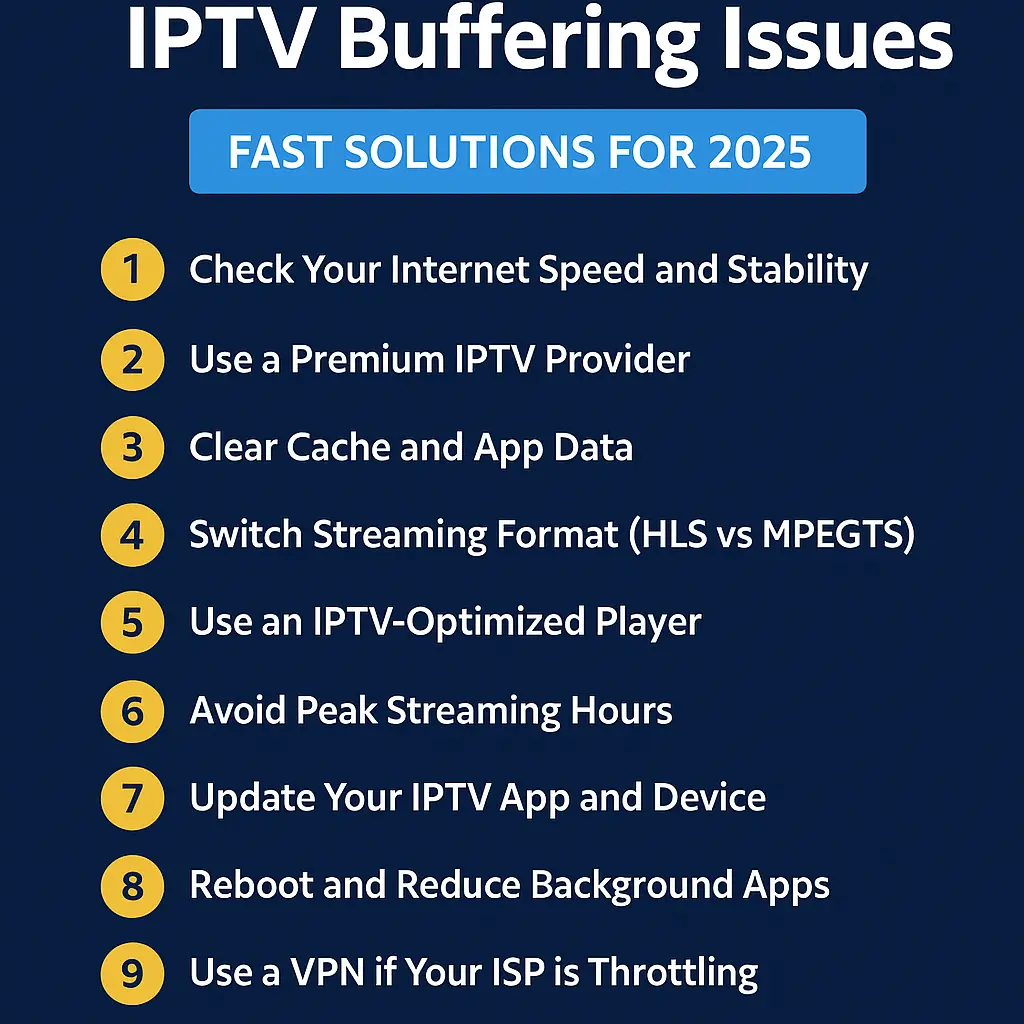
Before exploring solutions, it is essential to understand the typical causes of IPTV buffering. Common reasons include:
- Slow or unstable internet connection
- Overloaded IPTV servers
- Incompatible or outdated apps/devices
- Wi-Fi signal interference
- Incorrect IPTV settings or format
Now let’s examine how to address these issues quickly and effectively.
1. Check Your Internet Speed and Stability
Your IPTV performance heavily relies on internet speed. For buffer-free streaming in 2025, ensure you have:
- Minimum 20 Mbps for HD streaming
- At least 50 Mbps for 4K content
Test your connection using tools like Speedtest.net. If speeds are insufficient, consider:
- Restarting your router
- Switching to a wired Ethernet connection
- Upgrading to a faster fibre broadband plan
2. Use a Premium IPTV Provider with Anti-Buffering Technology
IPTV services vary significantly in quality. Providers using low-cost or congested servers often cause buffering regardless of your internet. Opt for a service with reliable, high-speed servers and anti-freeze technology.
We recommend the Buy IPTV UK App — optimized for UK viewers with stable 4K streams, 24/7 uptime, and integrated anti-buffering protocols.
3. Clear Cache and App Data
Apps like IPTV Smarters, TiviMate, and XCIPTV accumulate cache over time, leading to slowdowns or crashes. To Fix IPTV buffering:
- Navigate to your device’s Settings
- Select “Apps” and locate your IPTV app
- Tap “Clear Cache” and “Clear Data”
Restart the app afterward for improved streaming performance.
4. Switch Streaming Format (HLS vs MPEGTS)
Most IPTV players support formats like HLS, MPEGTS, and RTMP. If buffering occurs:
- Switch from MPEGTS to HLS (generally more stable)
- Alternatively, try MPEGTS if HLS buffers
Find this option in your player’s playlist or stream settings. This adjustment can often eliminate stuttering immediately.
5. Use an IPTV-Optimized Player
Generic media players may struggle with live IPTV streams. Instead, use a dedicated IPTV player such as:
- TiviMate – Ideal for advanced users and Android boxes
- IPTV Smarters Pro – Excellent for Firestick and Smart TVs
- Best IPTV UK App – Pre-configured for IPTV services and optimized for UK networks
These apps offer enhanced EPG compatibility, catch-up support, and low-latency streaming.
6. Avoid Peak Streaming Hours
IPTV servers can become overloaded during high-traffic periods. To minimize buffering during peak times:
- Switch servers if your provider offers alternatives
- Use catch-up features instead of live streams
- Inquire with your provider about server load-balancing
7. Update Your IPTV App and Device
Outdated software can cause compatibility issues. Keep your device firmware and IPTV apps updated to the latest versions. Updates typically include:
- Bug fixes
- Playback improvements
- Support for new streaming protocols
8. Reboot and Reduce Background Apps
Excessive background apps can slow down your streaming device. For Firestick and Android boxes:
- Reboot the device periodically
- Close unused background applications
- Disable automatic updates during streaming sessions
9. Use a VPN if Your ISP is Throttling
Some UK ISPs may throttle IPTV traffic, especially for unapproved services. If buffering occurs mainly during peak hours, try a reputable VPN like:
- NordVPN
- ExpressVPN
- CyberGhost
Connect to a nearby UK server for optimal speed. A VPN also enhances privacy while streaming IPTV.
10. Choose the Right Device
Your hardware plays a critical role. Older devices like first-generation Firesticks or budget Android boxes may cause buffering. Recommended devices include:
- Amazon Firestick 4K or 4K Max
- Nvidia Shield TV (for power users)
- High-end Android TV boxes with minimum 2GB RAM
Final Thoughts
Buffering remains a major frustration for UK IPTV users. Fortunately, most issues can be resolved with the right approach. Whether adjusting internet speed, switching players, or changing providers, there are always methods to restore seamless HD streaming.
If buffering persists, consider switching to Buy IPTV UK — featuring ultra-stable servers, 4K streaming, and real-time support to ensure flawless IPTV performance in 2025 and beyond.