
Welcome to our complete guide on setting up and using IPTV Smarters Pro on your Firestick. In this article we will walk you through everything you need to know including how to install it, what IPTV Smarters Pro actually is, and what it is truly capable of. We have also thrown in some handy troubleshooting tips to make sure your streaming experience stays smooth and uninterrupted from start to finish.
What is IPTV Smarters Pro ?
IPTV Smarters Pro is a widely-used IPTV (Internet Protocol Television) application that enables you to stream live TV, movies, and on-demand content on your Firestick. It features an intuitive interface and compatibility with numerous IPTV services, establishing it as a favorite among cord-cutters.
IPTV Smarters Pro opens the door to a huge variety of international channels and content all neatly packed into a single app. Whether you are a sports fanatic, a movie lover, or someone who just cannot miss their favorite TV series this app has something for everyone.
Installing IPTV Smarters Pro on Firestick
Installing IPTV Smarters Pro on your Firestick is simple. Just follow these steps:
- Power on your Firestick and go to the home screen.
- Select “Settings” from the top menu.
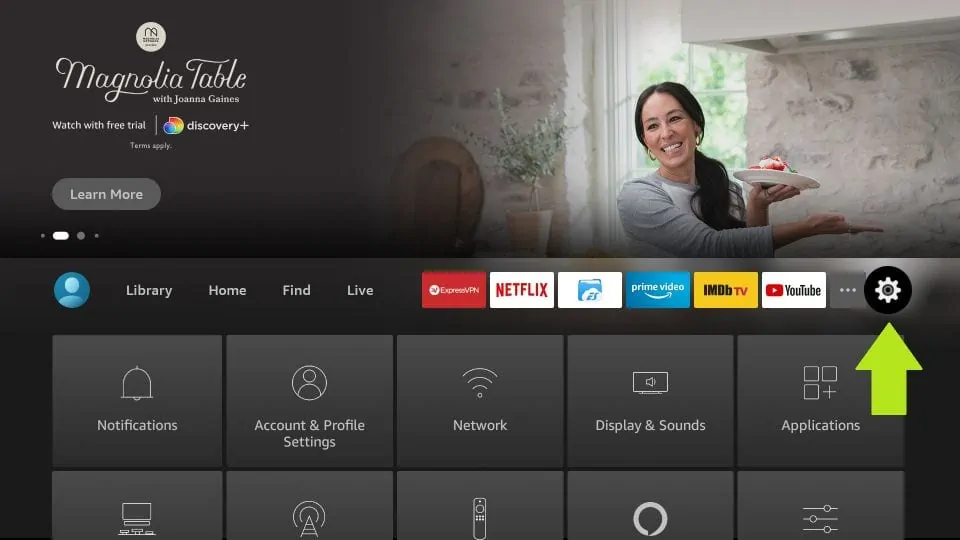
- Choose “Device” or “My Fire TV,” based on your device model.
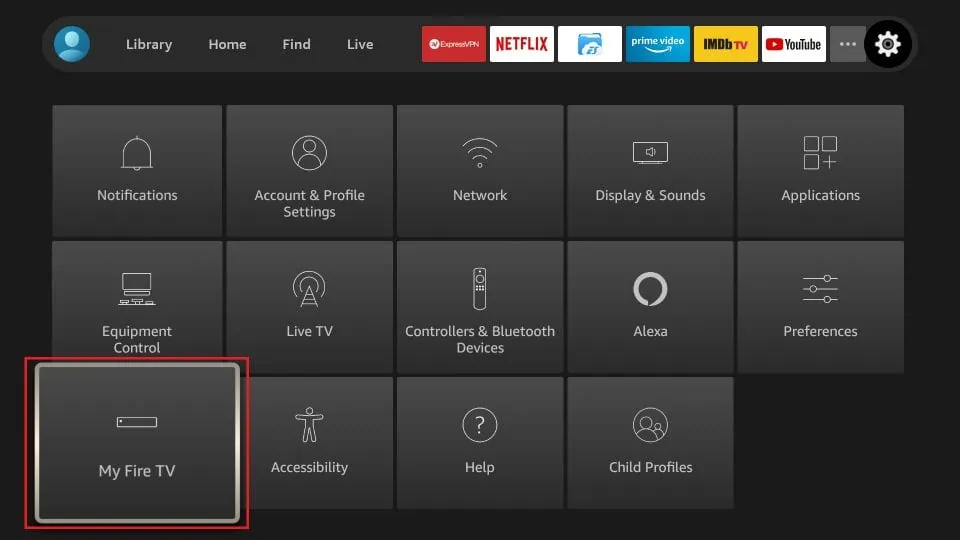
- Select “Developer Options.”
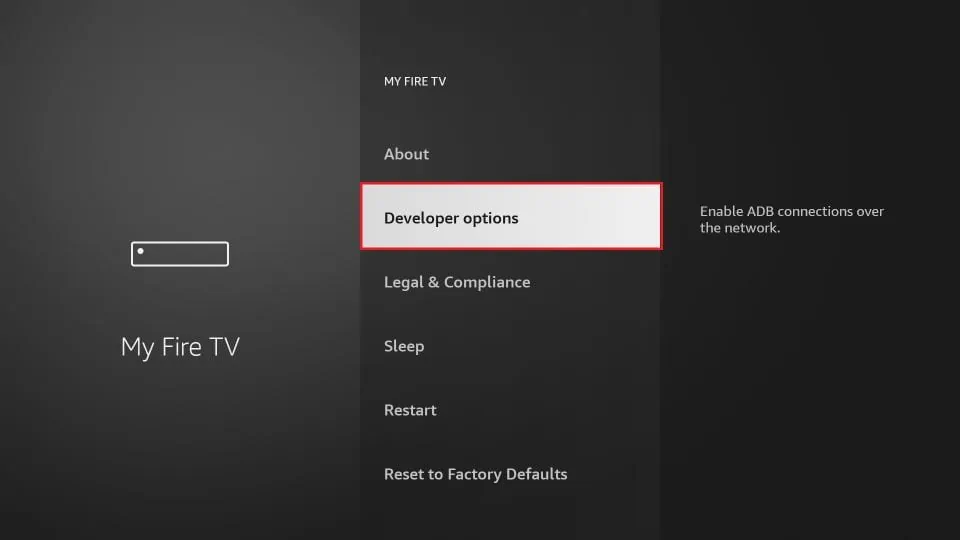
- Turn on both “Apps from Unknown Sources” and “ADB debugging.”
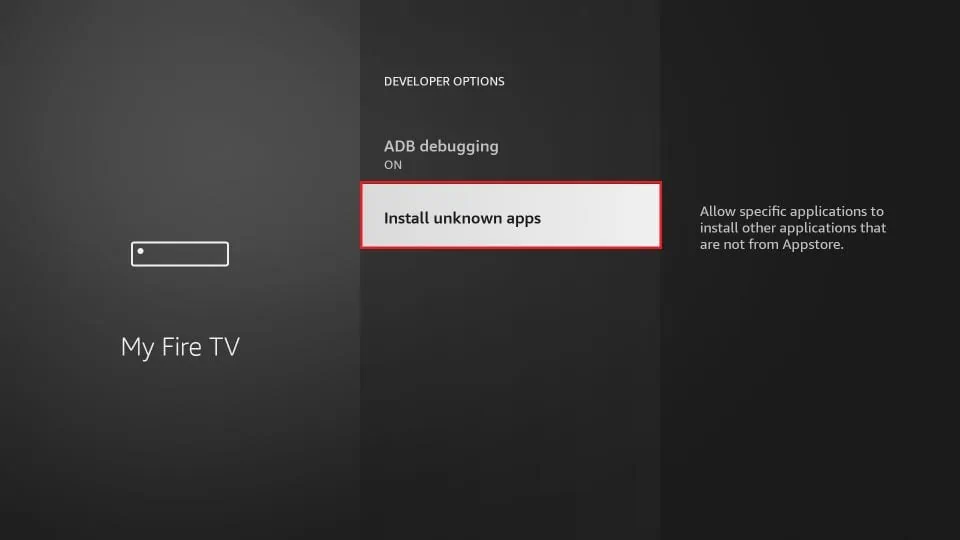
- Go back to the home screen and use the search bar to find the “Downloader” app.
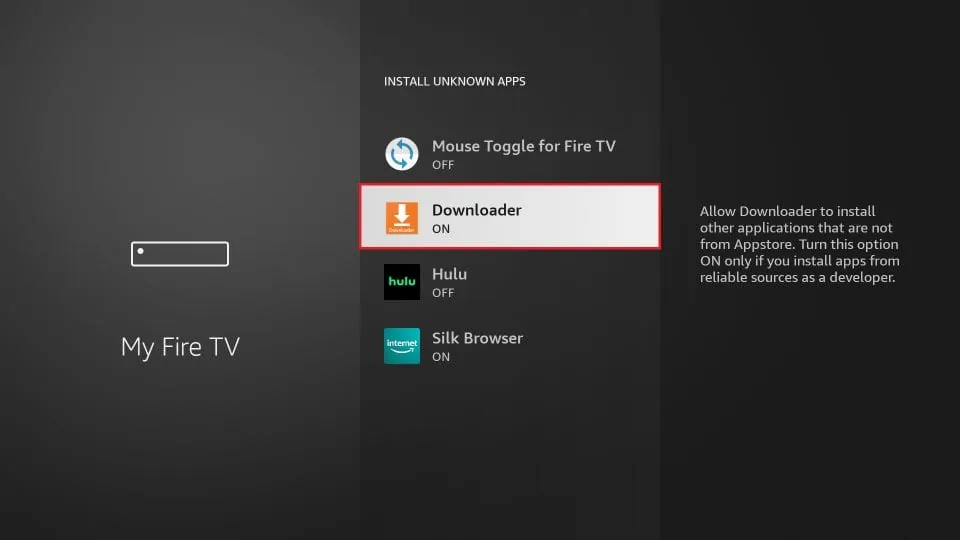
- Install and launch the Downloader app.
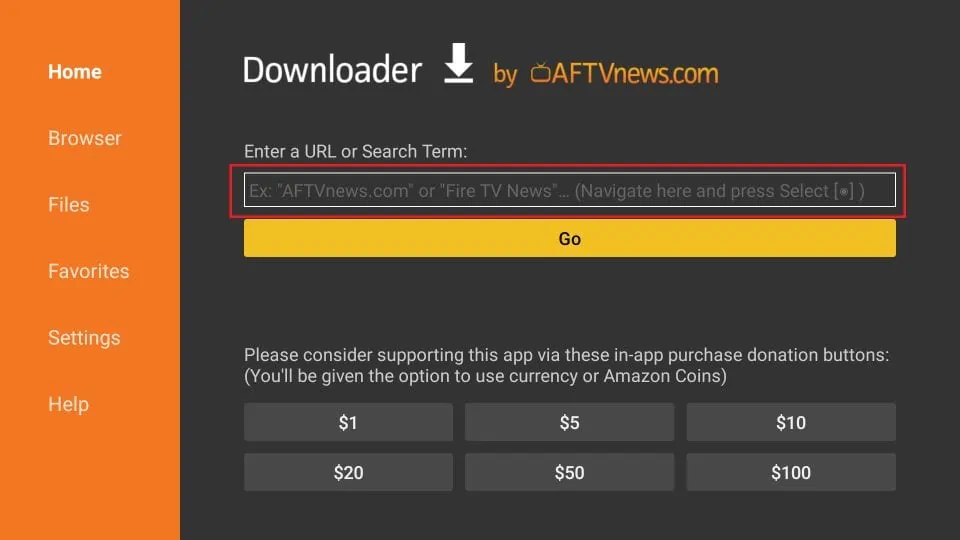
- In the Downloader app, input this URL to get IPTV Smarters Pro: https://www.iptvsmarters.com/smarters.apk
- Wait for the download to finish, then install the application.
- After installation, open IPTV Smarters Pro and begin the setup.
Now that IPTV Smarters Pro is installed on your Firestick, let’s proceed to configure it.
Setting up IPTV Smarters Pro
Configuring IPTV Smarters Pro is straightforward. Follow these instructions:
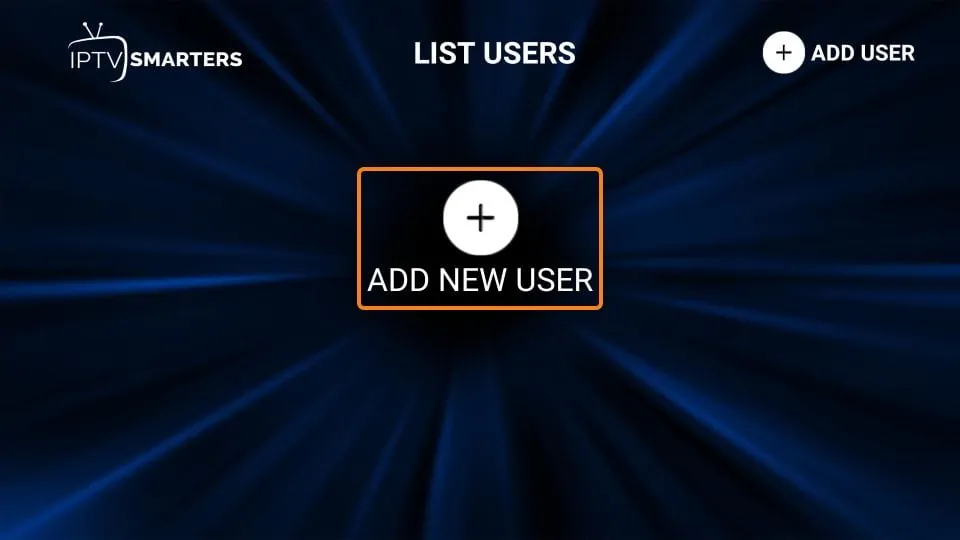
- Launch IPTV Smarters Pro.
- Enter your login details when prompted. Use the username and password from your IPTV subscription provider.
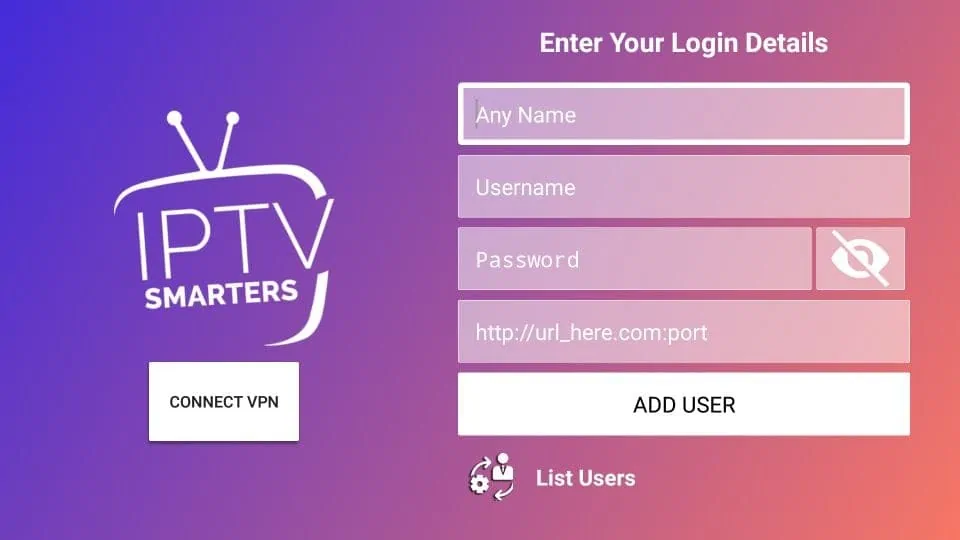
- After logging in, you can start browsing the app’s offerings and features.
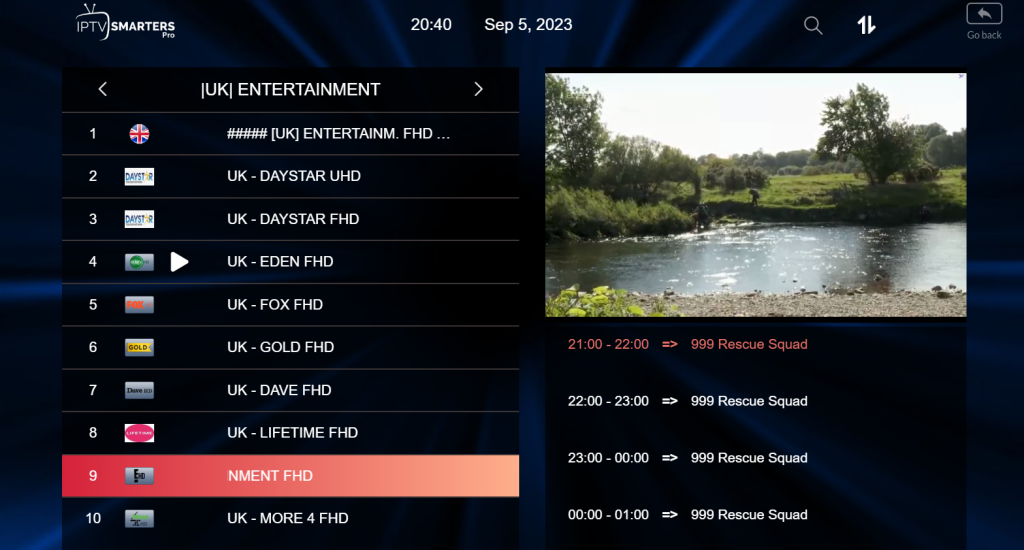
Remember, IPTV Smarters Pro works with various IPTV services, allowing you to select one that fits your needs.
Features of IPTV Smarters Pro
IPTV Smarters Pro includes numerous features to improve your streaming:
- Wide Range of Channels: Stream a diverse collection of live TV channels from different countries and categories.
- VOD (Video on Demand): Watch movies and TV series on demand whenever you like.
- Multi-Screen Support: View several channels at the same time with multi-screen functionality.
- Electronic Program Guide (EPG): Check program schedules to organize your viewing.
- Parental Control: Apply parental controls to limit access to certain content.
- Support for External Players: Opt for external media players to customize your streaming.
These attributes make IPTV Smarters Pro a flexible and easy-to-use application for Firestick.
Troubleshooting Common Issues
Although IPTV Smarters Pro is dependable, you might face some issues. Here are common problems and fixes:
- No Audio or Video: Verify your internet connection and confirm your IPTV subscription is current.
- Buffering: Clear the cache and lower the video quality in settings to minimize buffering.
- App Crashes: Update to the newest app version or reinstall it if crashes continue.
- Guide Not Loading: Make sure your EPG data is updated and refresh the guide.
Applying these troubleshooting steps can fix most issues for smooth streaming.
In summary, IPTV Smarters Pro is a superb option for Firestick users seeking extensive TV channels and on-demand content. Its easy-to-use interface, rich features, and support for multiple IPTV services make it ideal for cord-cutters.
By adhering to the installation and setup directions provided, you can immediately start benefiting from IPTV Smarters Pro on your Firestick.
Frequently Asked Questions
Common questions about IPTV Smarters Pro on Firestick include:
- Q: Is IPTV Smarters Pro free to use?
A: The app can be downloaded for free, but a subscription to an IPTV service is usually needed to view content. - Q: Can I use IPTV Smarters Pro on other devices?
A: Yes, it is compatible with other platforms like Android, iOS, and Windows. - Q: Is IPTV legal?
A: IPTV legality depends on your country and the content accessed. Always use IPTV services responsibly and in compliance with local laws.
For more detailed questions or help with troubleshooting, contact the official IPTV Smarters Pro support.
——————————————
This guide has covered everything you need to know to get the most out of IPTV Smarters Pro on your Firestick. From setting it up to sorting out any issues along the way we have given you all the tools to make the most of this incredibly versatile streaming app. Now sit back relax and enjoy all your favorite channels and content with IPTV Smarters Pro!
——————————————
We appreciate you reading our guide and hope it has been useful in improving your Firestick streaming with IPTV Smarters Pro. For any additional questions or support, please do not hesitate to contact us.